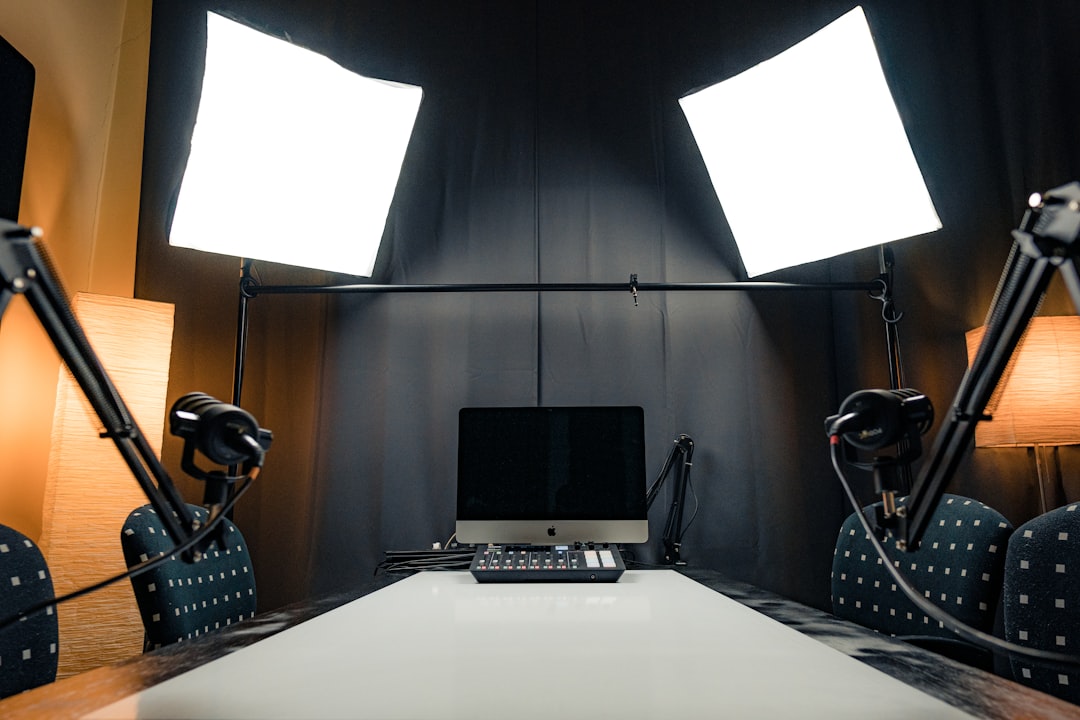
Audio quality can make or break a podcast. Listeners will tolerate less-than-perfect video, but poor audio often leads to immediate tune-out. Setting up a quality podcast studio doesn't require a massive budget, but it does require understanding which equipment matters most and how to use it effectively. This guide covers the essential audio equipment you need to launch a professional-sounding podcast.
Microphones: Your Most Important Investment
The microphone is the foundation of your podcast's audio quality. Two main types dominate podcasting: dynamic and condenser microphones. Dynamic microphones are rugged, handle high sound pressure levels well, and naturally reject background noise. They're excellent for home studios that aren't fully soundproofed and for podcasters with untreated recording spaces.
Condenser microphones offer superior sensitivity and capture more detail and nuance in voices. They produce a more present, intimate sound that many podcasters prefer. However, they also pick up room noise, computer fans, traffic outside, and other ambient sounds more readily. Condenser mics work best in controlled, treated environments.
For most beginning podcasters, a quality dynamic USB microphone provides the best balance of sound quality, ease of use, and price. USB mics plug directly into computers without requiring additional equipment, simplifying your setup. As you advance, upgrading to XLR microphones with dedicated audio interfaces gives you more control and higher quality, but requires more investment and technical knowledge.
Audio Interfaces: Connecting Professional Microphones
If you choose XLR microphones, you'll need an audio interface to connect them to your computer. Audio interfaces convert analog audio signals to digital format that recording software can process. They also provide necessary features like phantom power for condenser microphones, gain control, and monitoring capabilities.
For solo podcasters, a simple two-channel interface provides everything needed. Interview-format shows benefit from interfaces with multiple inputs to record each guest on separate tracks. This separation gives enormous flexibility during editing, allowing you to adjust individual levels, remove coughs from one track without affecting others, and create more polished final audio.
Look for interfaces with clean preamps, as these directly affect your recording quality. Budget interfaces have improved dramatically in recent years, so you don't need to spend thousands to get professional results. Features like direct monitoring, which lets you hear yourself without latency, and USB bus power for portability add convenience.
Headphones: Critical for Monitoring
Quality headphones serve multiple purposes in podcast production. During recording, they let you monitor audio quality in real-time, catching issues like plosives, excessive sibilance, or background noise before they ruin takes. During editing, good headphones reveal details that speakers might miss, especially in untreated rooms where speakers create reflections and standing waves.
Closed-back headphones are essential for recording. They isolate sound, preventing audio from leaking out and being picked up by microphones. This isolation matters most when recording interviews or multiple hosts simultaneously. Open-back headphones sound more natural but aren't suitable for recording sessions, only for editing and mixing.
Look for headphones with flat frequency response rather than consumer headphones designed to enhance bass or treble. You want to hear your podcast accurately, not colored by the headphones. Comfort matters for long editing sessions, so consider weight, cushioning, and clamping force when choosing headphones you'll wear for hours.
Acoustic Treatment: The Often Overlooked Essential
Even the best microphone sounds poor in a bad room. Hard surfaces create reflections and reverb that make voices sound hollow and distant. Acoustic treatment doesn't mean building a professional studio, but strategic placement of absorption materials significantly improves recording quality.
Start with identifying reflection points. Sit in your recording position and have someone hold a mirror against the wall at ear height. If you can see your microphone reflected in the mirror, that's a reflection point that needs treatment. Place absorption panels at these points to reduce early reflections that muddy your sound.
Bass traps in room corners address low-frequency buildup that makes rooms sound boomy. Diffusion panels scatter sound reflections rather than absorbing them, creating a more natural acoustic space. Even simple solutions like heavy curtains, bookshelves filled with books, and strategically placed furniture improve recording spaces noticeably.
Pop Filters and Shock Mounts
These small accessories make a significant difference in recording quality. Pop filters, positioned between your mouth and microphone, reduce plosive sounds created by P and B sounds. These plosives create bursts of air that hit microphone diaphragms, causing low-frequency thumps that are difficult to remove in post-production.
Shock mounts suspend microphones with elastic bands, isolating them from vibrations transmitted through mic stands. These vibrations come from desk bumps, foot taps, traffic vibrations, and handling noise. Shock mounts keep these vibrations from reaching your microphone and appearing as rumble in your recordings.
Recording Software and Digital Audio Workstations
You need software to record and edit your podcast. Free options like Audacity and GarageBand provide solid functionality for beginners. Professional options like Adobe Audition, Logic Pro, or Reaper offer advanced features as your needs grow. The best software is the one you'll learn and use consistently rather than the one with the most features.
When recording, use lossless formats like WAV at high sample rates and bit depths. You can always compress for distribution, but starting with high-quality source files gives you more flexibility in editing. Record separate tracks for each microphone when possible, as this separation simplifies editing enormously compared to working with mixed tracks.
Microphone Technique: Equipment Only Gets You Halfway
The best equipment can't compensate for poor technique. Position yourself consistently relative to your microphone, typically 6-8 inches away for most podcast mics. Speaking across the microphone at a slight angle rather than directly into it reduces plosives naturally. Maintain consistent volume and avoid moving toward or away from the mic during recording.
Learn proper gain staging to record at appropriate levels. Your audio should peak around negative 12 to negative 6 decibels, giving headroom for unexpected loud moments while avoiding excessive noise floor. Too quiet recordings require boosting gain in post-production, which also amplifies noise. Too loud recordings risk clipping, causing distortion that can't be fixed.
Building Your Setup Gradually
You don't need everything immediately. Start with a quality microphone appropriate for your space, whether USB for convenience or XLR with an interface for future expandability. Add decent headphones for monitoring. These three elements create the core of a functional podcast studio. Record consistently and learn your equipment before adding complexity.
As you gain experience, identify specific weaknesses in your setup and address them strategically. Maybe room reflections are the biggest issue, suggesting acoustic treatment should be next. Perhaps you're interviewing guests regularly, indicating an additional microphone would be valuable. Gradual expansion based on actual needs creates a better studio than buying everything at once.
Conclusion
Quality audio equipment forms the foundation of professional podcasting, but equipment alone doesn't guarantee success. Understanding your gear, developing good recording technique, and creating consistent content matter more than having the most expensive microphone. Start with essentials, learn them thoroughly, and expand your setup as your podcast and skills grow. The best podcast studio is one that removes technical barriers, letting you focus on creating engaging content for your audience.